CapsLock Guide
CapsLock Enhancement turns ⇪ into two keys at once: tap it for ⎋, or hold it as the ✱ Hyper modifier. Combine Hyper with the four left-side modifiers to address sixteen control planes without moving your hands away from the keyboard’s hot zone.
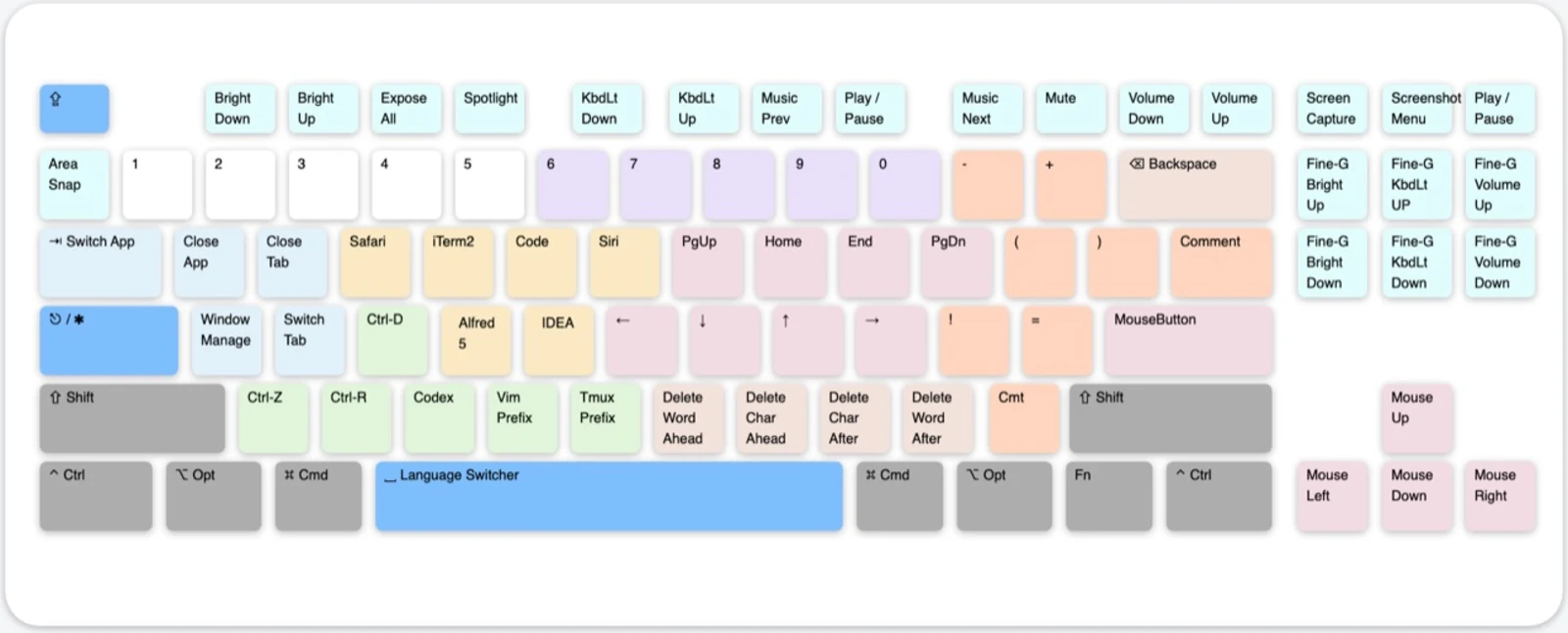
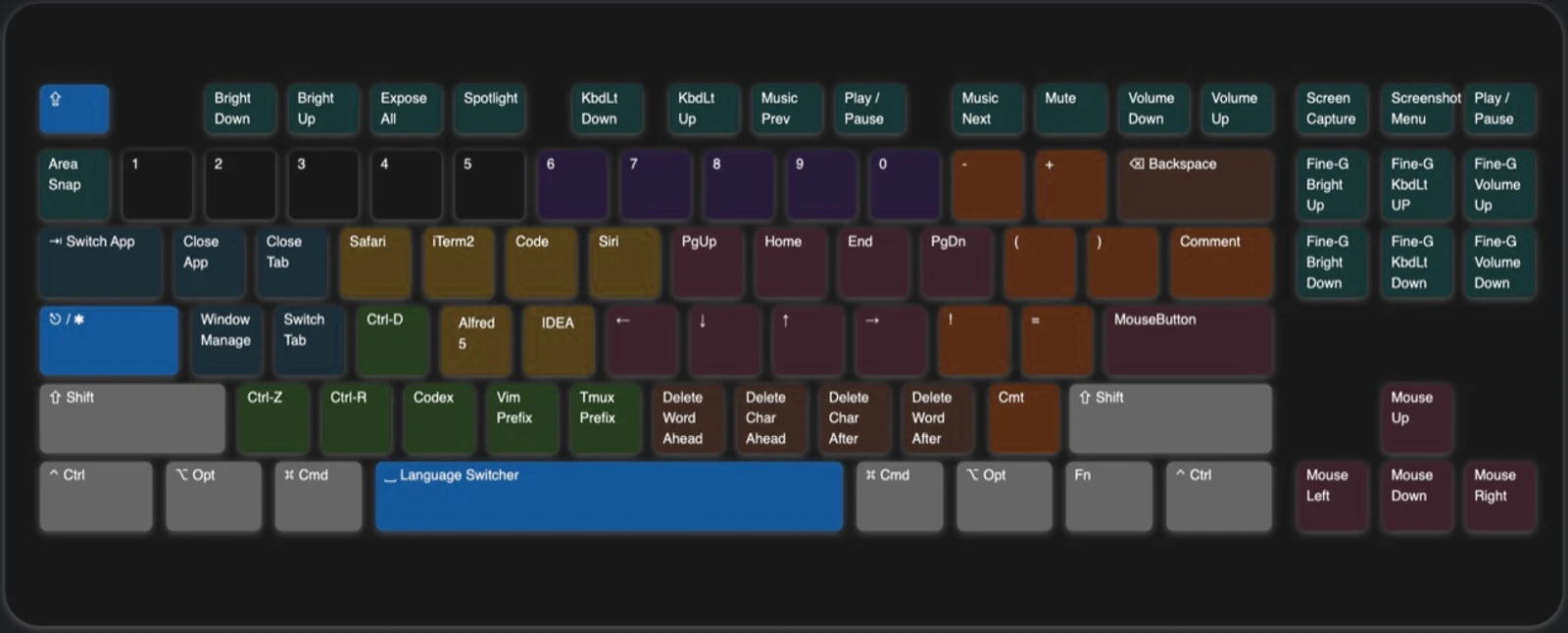
The interactive configurator reads the current V3 JSON. It is the fastest way to inspect one key on any plane, or to change an application shortcut and export a configuration you can import straight away.
Ten families of keys
The keyboard map above is colour-coded by purpose, so a key’s neighbourhood tells you roughly what it does before you look anything up. The configuration ships as ten independent Karabiner rules, one per family, and you enable them one by one.
| Family | Colour | What it does | Mappings |
|---|---|---|---|
| Basic | Blue | Tap ⇪ for ⎋, hold it for ✱ Hyper, plus input-source switching | 4 |
| Navigation | Pink | Vim-style movement, selection, tab and window switching, pointer and wheel | 102 |
| Deletion | Brown | NM,. delete by character, word or line without moving your hand |
12 |
| MouseKey | Keypad | The numeric keypad as a complete mouse | 63 |
| Window | Azure | Close and cycle tabs, windows, apps and desktops; sleep, lock, log out | 19 |
| Application | Yellow | Launch or focus six applications across three planes | 18 |
| Terminal | Green | Terminal signals, IDE run controls, Vim and Tmux prefixes, Codex and Claude | 10 |
| Clipboard | Purple | Five extra text clipboards on 6–0 | 10 |
| Shifter | Orange | Brackets, braces and code punctuation within reach of the home row | 16 |
| Functional | Cyan | Screenshots, media, brightness, keyboard light and volume | 28 |
Pick a path
Read in order if this is your first visit, or jump straight to the family you need. Every page ends with a link to the next one.
Install Karabiner-Elements, import CapsLock Enhancement, and understand tap, hold, and control planes.
Move and select text, delete by semantic unit, and control the pointer or wheel without leaving the keyboard.
Switch applications and windows, launch tools, send terminal commands, use extra clipboards, and type code symbols.
Function keys, screenshots, symbols, control-plane notation, versions, customization, and troubleshooting.